Fleet management: all your booths in one overview
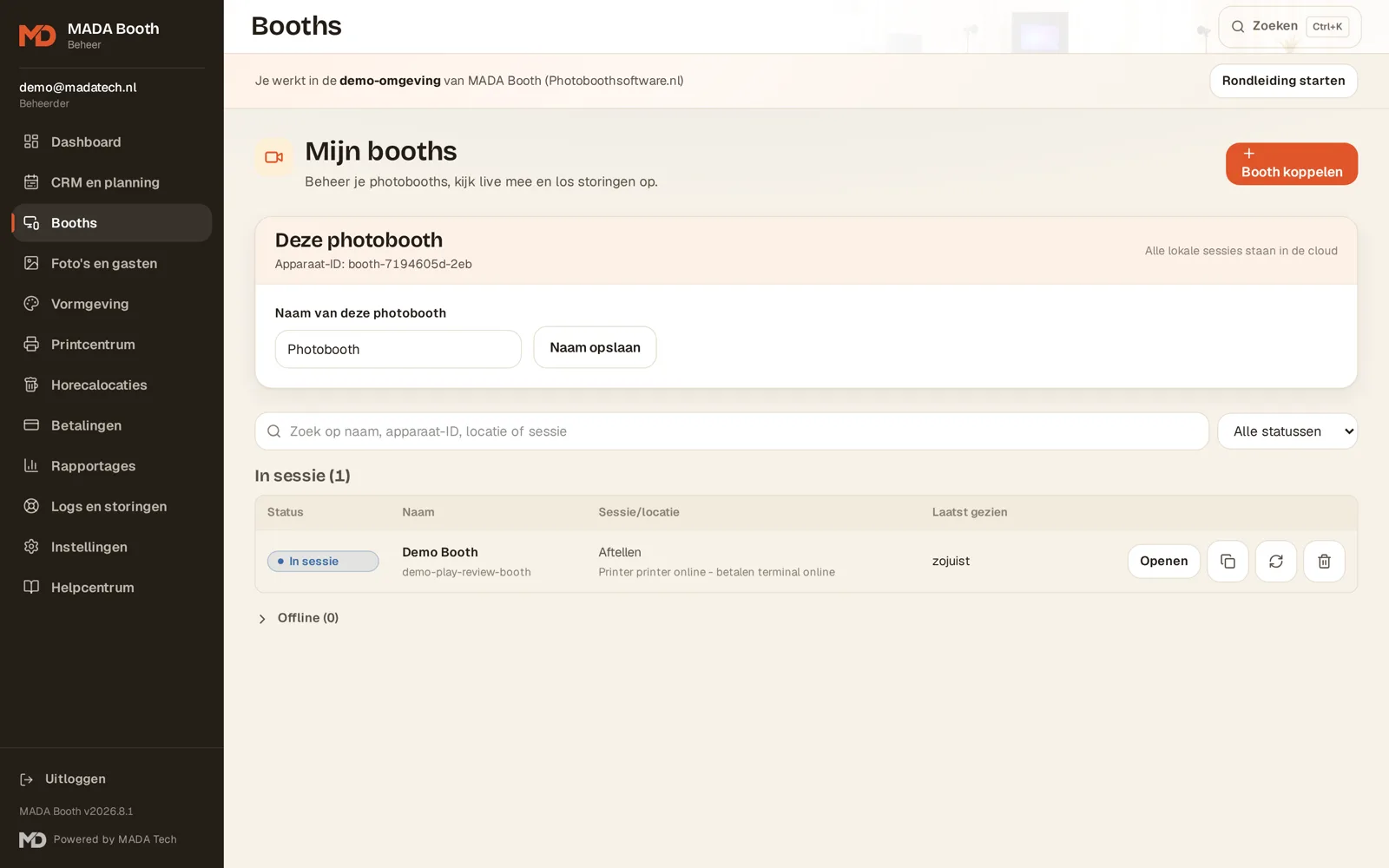
For each photo booth, you can see its status, latest session, printer, paper level and connection. This lets you know which photo booth needs attention before you head out.
Know before you leave which booth needs attention
Status at a glance
Online, in use, error or offline. Colours and alerts instantly show you where action is needed.
Monitor paper and ink
The booth alerts you when paper is running low, so you can bring the right supplies to the event.
History per booth
Sessions, prints and errors per booth, ideal for maintenance and post-event costing.
How it works
- Connect your booth Install MADA Booth on the Windows PC in the booth and use the pairing code to connect it to your workspace. The booth will appear in your overview immediately.
- Check the status For each booth, you can see whether it is online, when it last connected, which camera and printer were detected, and whether it is ready for guests.
- Take action when needed A booth that needs attention appears at the top. From the booth record, you can adjust settings or see what went wrong.
What you can configure
Booth record
A dedicated record for each booth with its identity, readiness, hardware, configuration, and service details.
Readiness
A booth is only considered ready when the camera and printer have actually been detected, not simply because it is switched on.
Names and groups
Give booths a recognisable name and keep rental booths and permanent locations separate.
Service code
Set a service code for each booth, so only your team can open the service menu.
Updates
See which version is running on each booth, so you know everything is up to date.
Mobile management
The same overview on your phone, with the booths that need attention at the top.
Good to know
A paper or camera notification is only as current as the booth's last contact. If a booth is offline, the management dashboard shows this clearly instead of presenting old notifications as current.
Try it now or request a quote
Start for €8.33 per month: €25 for the first three months together, then the regular rate, cancel any month.
Frequently asked questions
How many booths can I manage?
Manage as many booths as you like. Each active booth uses one licence within the same plan.
Can I also view the dashboard on my phone?
Yes. The management dashboard is fully mobile-friendly, even when you are on your way to an event.
What happens if a booth goes offline?
The booth is marked as offline, including the time of its last contact. As soon as it reconnects, its status is updated automatically.
Can I replace a booth without setting everything up again?
Yes. Restore Booth lets you link a new or reinstalled PC to the existing booth while retaining its settings and history.
More features: Planning and quotes in the same platform · Remote support without getting in the car · Every event styled to match your client's brand · Insights per booth, per evening and per client
Want to try it yourself?
Set up your account and get your first three months for €25 in total.