Printing as an extra revenue stream
Print photo strips with MADA Booth for Windows on your own photo printer, including automatic cutting on the HiTi P525L.
More choice for guests, extra revenue for you
Extra charge per print
Set your own price for an extra print and collect payment during the session.
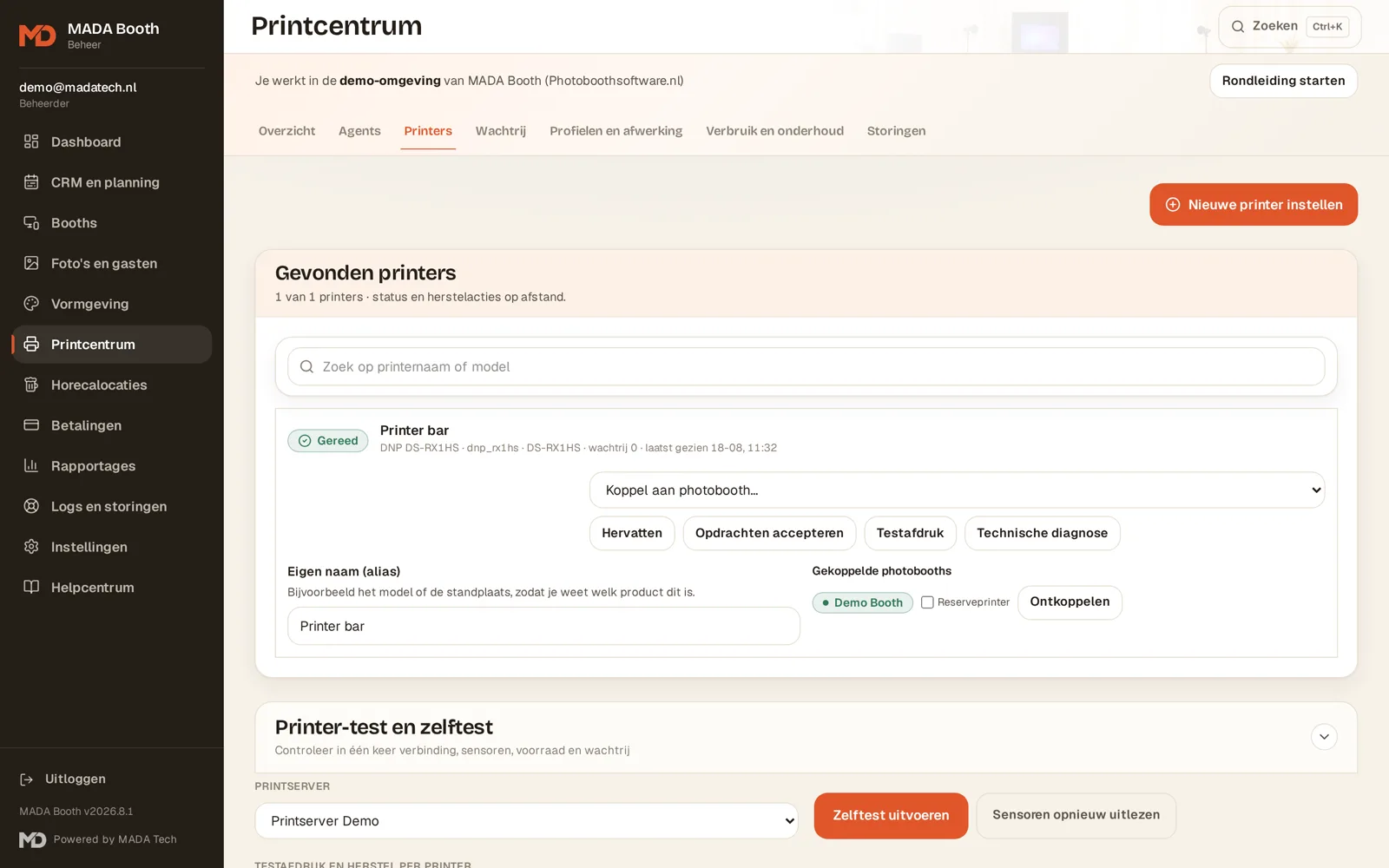
Print queue at a glance
See which job is printing, which ones are waiting and where something went wrong.
Multiple printers
Connect a printer with its own name to each booth, so you always select the right one.
How it works
- Choose your printer Connect a photo printer to the Windows PC and select it in the photo booth. Give it a recognizable name.
- Configure the print Set the size, number of prints and optional cutting for each design.
- The guest prints After the session, the print job is sent to the printer. The dashboard shows which job is running and whether anything goes wrong.
What you can configure
Photo strips and individual photos
Print photo strips or full-size photos, depending on your design.
Automatic cutting
The HiTi P525L automatically cuts photo strips to size.
Print queue
See active and queued jobs, with a clear notification if an error occurs.
Extra prints
Offer guests extra prints, with an optional surcharge.
Test print
Make a test print from the service menu before the event starts.
Sharing keeps working
The QR code appears immediately, even while the printer is still printing.
Good to know
The printer reports paper and ink levels through Windows. Accuracy varies by printer, so always check your supplies before a large event.
Try it now or request a quote
Start for €8.33 per month: €25 for the first three months together, then the regular rate, cancel any month.
Frequently asked questions
Which printers are supported?
MADA Booth runs on a standard Windows PC with a camera, a start button and a photo printer. Our reference setup uses the HiTi P525L with automatic cutting. Other Windows photo printers are also supported; we recommend a test session before every new setup.
Can I use it without a printer?
Absolutely. Sharing via QR code or email works perfectly without a printer.
Can I switch printers during an event?
Yes, select a different printer from the service menu. Then make a test print.
More features: Fleet management: all your booths in one overview · Planning and quotes in the same platform · Remote support without getting in the car · Every event styled to match your client's brand
Want to try it yourself?
Set up your account and get your first three months for €25 in total.